 Owed Review
Owed’s Free Settlement Finder: What You Can See Without Paying (2026)
What the free settlement finder actually does
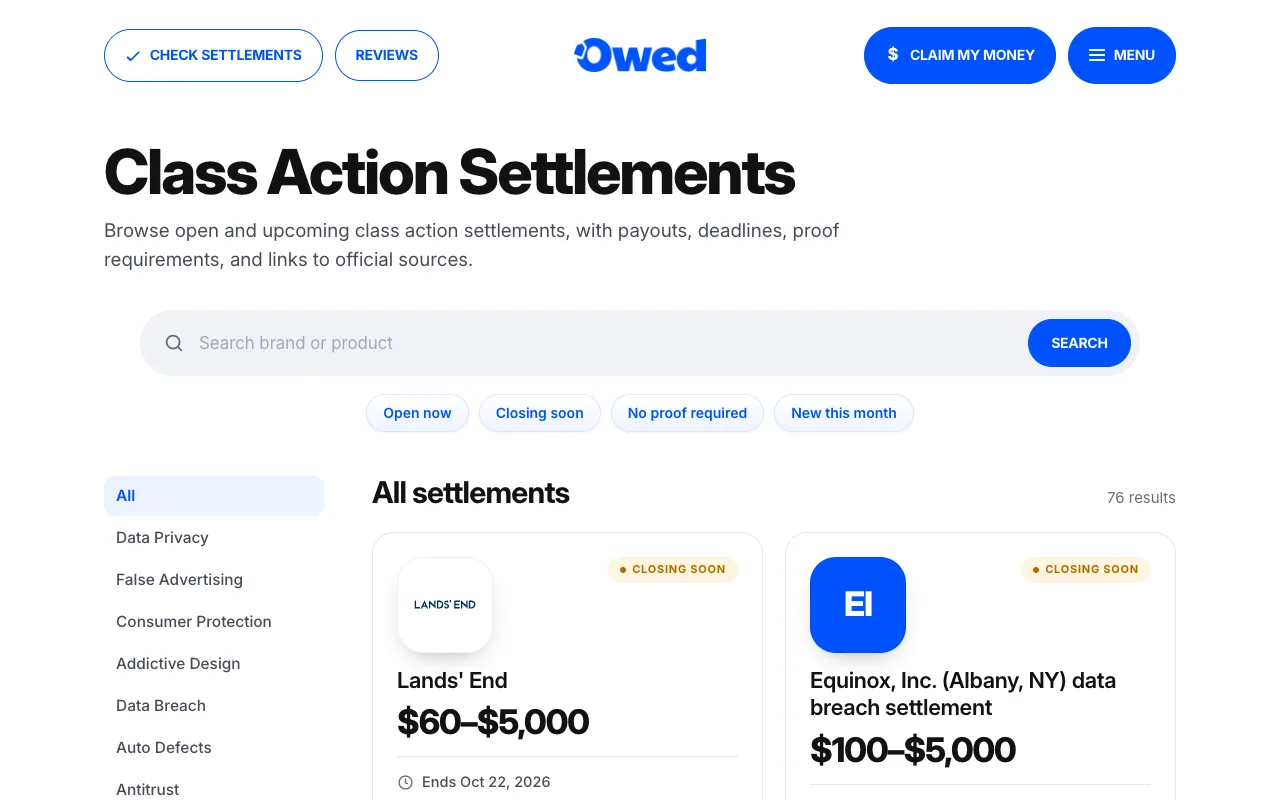
Owed’s settlement directory at claimowedmoney.com/settlements is a list of class action settlements you may be able to claim from, written in plain English. As of today it shows 25 settlements open for claims, plus 36 that aren’t open yet and recently closed ones for reference.
For every case you get the payout range, the claim deadline, whether you need proof, who qualifies and what happened. You don’t need an account, an email address or a card to use any of it.
Is it really free?
Yes, and permanently. The directory is the part of Owed anyone can use. What costs money is Owed Pro ($2 for the first week, then $49 a year), which adds personal matches, step-by-step instructions that open the official claim form, deadline reminders and a claim tracker. If the free directory is all you need, use it and stop there. We mean that.
How to use it
Step 1: Open the directory
Go to the settlements page. Cards show each company, the payout range and the deadline. A search box at the top finds a brand or product.
Step 2: Filter what you see
Four quick filters do most of the work: Open now, Closing soon, No proof required and New this month. On the left you can browse by category, such as data breach, data privacy, false advertising, consumer protection, addictive design, auto defects and antitrust.
Step 3: Open a case page
Click any card to see the full case. That’s where you decide whether it applies to you.
What each case page shows
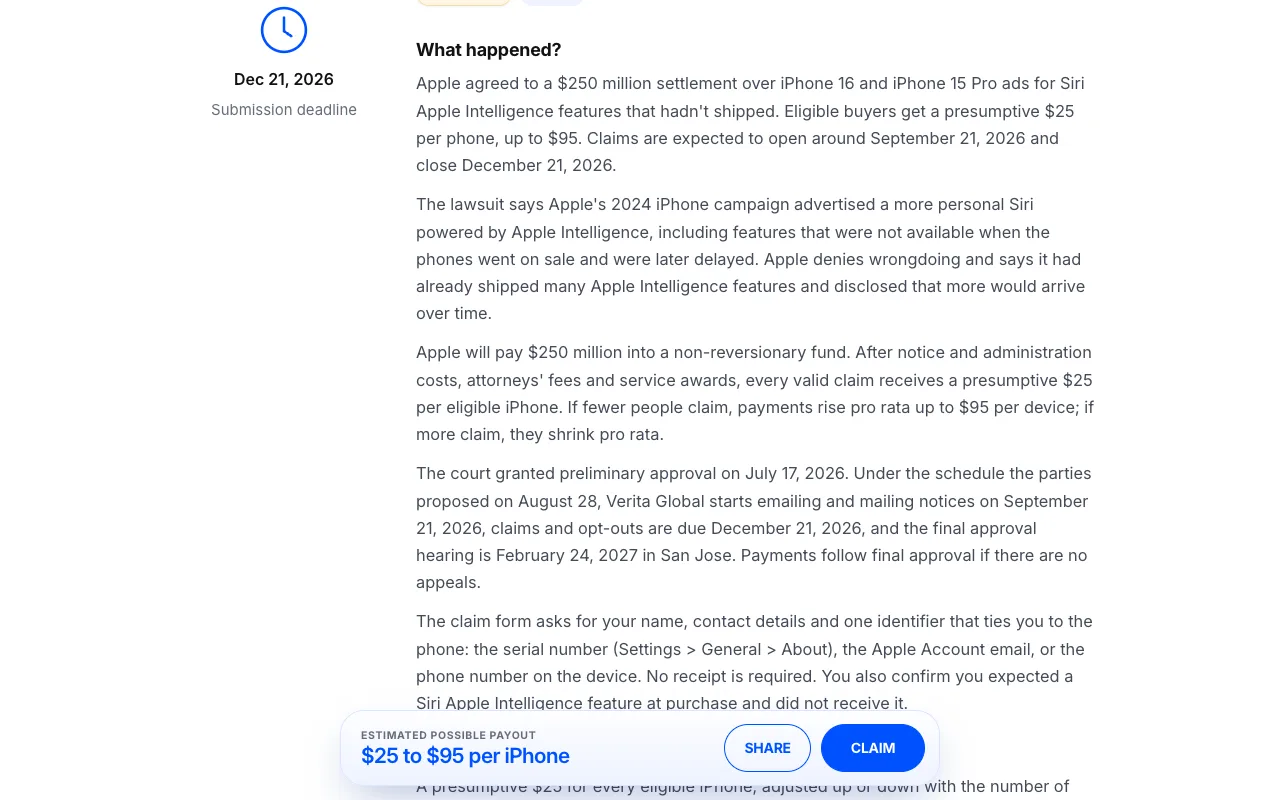
Every case page answers the same three questions in the same order:
- What happened? The lawsuit and the settlement, in a few sentences.
- How much is the company paying, and what can I get? The fund when it’s published, and the payout options, such as a flat amount without proof or more with documents.
- Am I eligible to file a claim? The class definition, paraphrased, with its dates and places.
Below that are the key facts: the claim deadline, the opt-out deadline, the final approval hearing, the case name and number, the court and the settlement administrator when they’ve been published.
Each case also carries two labels. A proof label (No proof, Some proof or Proof required) tells you how much paperwork to expect. A status label tells you where the case stands: New, Closing soon (21 days or fewer left), Claims not open yet or Closed.
How a case gets on the list
This is the part we’re proudest of, and the part you can check. Leads come in every day from public sources. None of them goes live until it has been checked against the official settlement website:
- the claim form is live (not “coming soon”) and the deadline is at least 7 days away;
- ordinary US consumers can claim, not only businesses, investors or employees;
- the site is the real settlement site, run by the administrator named in the court notice, not a copycat or a “claims help” service.
Live cases are re-checked for deadline changes, and a case closes on the site automatically when its deadline passes. If you ever spot a fact that doesn’t match the official site, tell us at support@claimowedmoney.com and we’ll fix it.
“Claims not open yet” cases
Some settlements are announced before their claim form opens. Owed lists those too, marked Claims not open yet, so you can see what’s coming. Their button says “Get notified” instead of “Start claim”.
The other free tools
Unclaimed money search
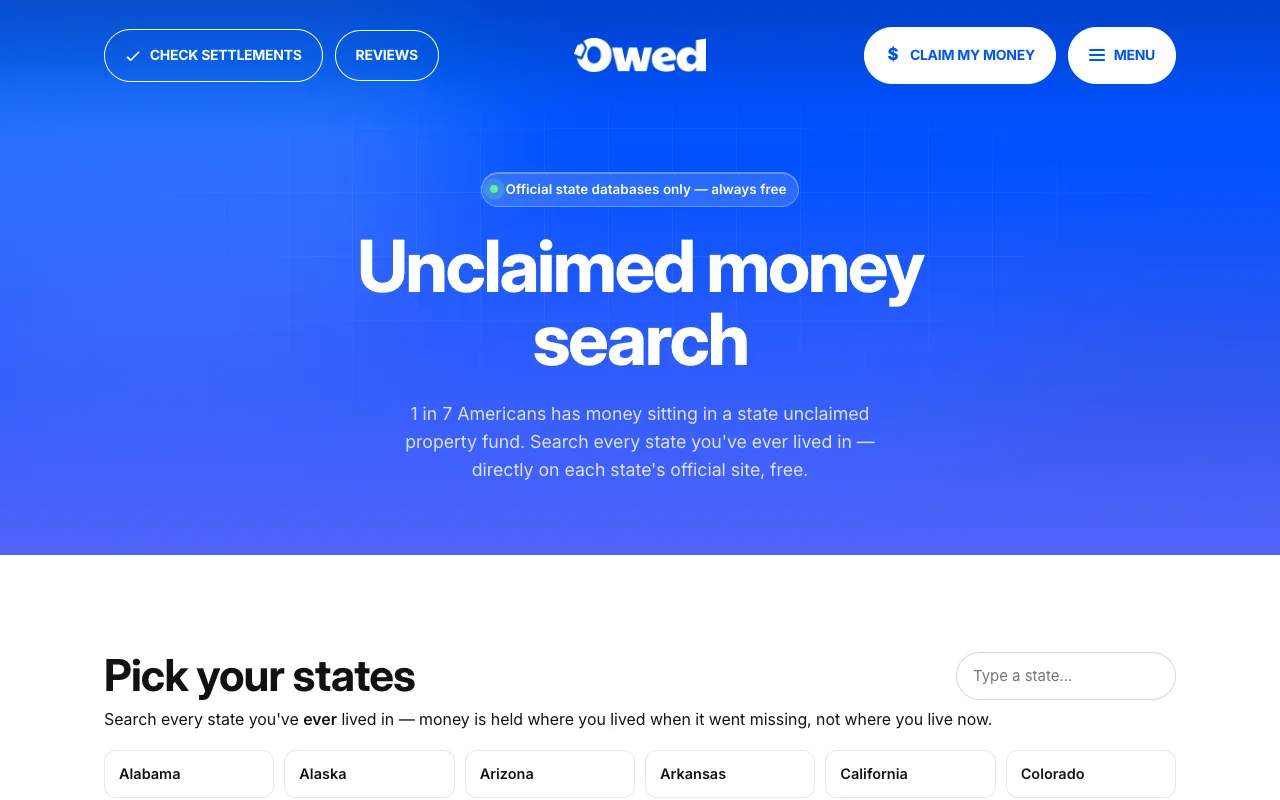
Pick the states you’ve lived in and Owed links you to each state’s official unclaimed property search — all 50 states and DC — plus federal places money can sit, like IRS refunds, savings bonds, pensions and failed banks. You search on the official sites, for free.
Flight compensation checker
Answer a few questions about a cancelled or delayed flight and the checker shows what the airline may owe under U.S. DOT refund rules, or EU261 for flights to or from Europe and the UK.
Glossary
130 settlement and refund terms in plain English, from pro rata to cy pres, at claimowedmoney.com/glossary.
Free finder vs. Owed Pro
| What you get | Free finder | Owed Pro |
|---|---|---|
| Every listed settlement, with payout, deadline and proof label | Yes | Yes |
| Plain-English case pages | Yes | Yes |
| Matches based on the companies you’ve used and your state | No | Yes |
| Instructions that open the official claim form | No | Yes |
| Claim tracker with confirmation numbers | No | Yes |
| Deadline reminders and new-match alerts | No | Yes |
| Price | Free | $2 first week, then $49/yr |
The full breakdown is on our pricing page.
A practical free workflow
- Once a month, open the directory and tap New this month, then Closing soon.
- Open any case for a company you’ve used. Read “Am I eligible?” carefully. If you don’t fit the class definition, move on.
- Search the case name or administrator, find the official settlement site, and file there. It’s free.
- Save the confirmation number and the deadline in a note or spreadsheet.
It’s a short routine. If it starts to feel like a chore, that’s exactly the job Owed Pro does. Our guide to filing a class action claim walks through the official-site part step by step.
Tips for getting the most out of it
- Start with “No proof required”. Those claims are the quickest, often a few minutes each.
- Check the official site before you file. Settlements get extended, and copycat sites exist. Our scam guide shows what to look for.
- Only claim what you qualify for. Claim forms are signed under penalty of perjury, and administrators audit.
- Look at closed cases too. They show what similar settlements offered and who qualified, which helps you spot the next one.

We build Owed and we write this site, so read it knowing that. We check every settlement on its official website before listing it, and we’ll tell you when you don’t need us. Corrections and questions: support@claimowedmoney.com.